
Start Now and Claim 250 Free Spins
Get Ready!
QueenWin Casino Login: Access Your Official UK Account
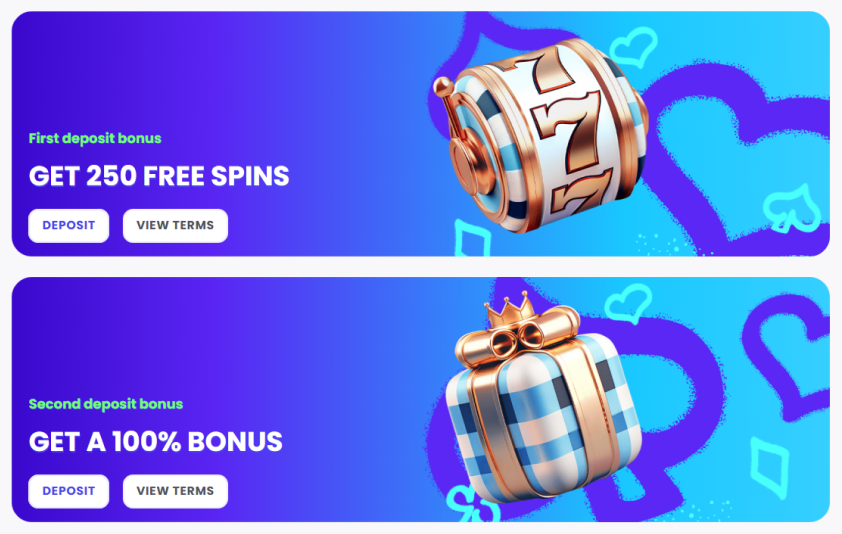
Accessing your gaming account takes seconds with our streamlined Queen Win casino login authentication process. Players enjoy quick entry to favourite slots and table games, whilst new members claim 250 Free Spins on first deposit. The secure login gateway connects you to your dashboard where balance checks, bonus claims, and game history await.
How to Sign In to Queen Win on Desktop and Mobile
Getting into your account is straightforward across all devices. Desktop users locate the “LOG IN” button in the site header, click it, and enter their registered email address and password. The password field includes a convenient eye icon toggle for verifying your entry before submission.
Mobile players experience identical functionality whether using a smartphone browser or the dedicated app. The responsive design adjusts perfectly to smaller screens with touchscreen-optimised input fields. Your login credentials work seamlessly across desktops, tablets, and mobiles without requiring separate registrations—start playing on your laptop and continue on your phone with all progress synchronised.
Quick Login Steps:
- Navigate to the QueenWin online casino login page
- Enter your registered email and password carefully
- Click the purple “LOG IN” button to proceed
- Access your account instantly across any device
First-time visitors can register via the “No account yet? JOIN NOW” link below the login button.
Features and Management of Your Personal Cabinet
Once authenticated, your QueenWin dashboard serves as the control centre for all account activities. The interface displays your current balance prominently, with instant cashier access to deposits and withdrawals through credit cards, e-wallets, and bank transfers. Active bonuses appear in a dedicated widget showing wagering requirements and remaining playthrough amounts.
The Game History section logs all betting activity, wins, and session durations—perfect for tracking your entertainment budget. Filter records by date range, game type, or transaction amount. Responsible gaming tools integrate directly into settings, allowing you to establish deposit limits, session reminders, and cooling-off periods that activate immediately.
| Dashboard Feature | Primary Function |
| Balance Display | Real-time funds tracking |
| Cashier Access | Deposits and withdrawals |
| Bonus Tracker | Monitor active promotions |
| Game History | Complete transaction records |
| Verification Centre | Upload ID documents |
The verification centre unlocks faster withdrawal processing. Upload photo ID, proof of address, and payment verification through the secure portal in JPG, PNG, or PDF format.
Troubleshooting: Password Recovery and Account Access
Forgotten passwords are easily recovered through our straightforward process. Click the “Forgot your password?” link below the password field on the Queen Win login screen. Enter your registered email address, and you’ll receive a secure reset link within minutes. This link stays valid for 24 hours—create a new password with eight characters minimum using uppercase, lowercase, numbers, and symbols.
Check your spam folders if the email doesn’t arrive within five minutes. Temporary lockouts occur after three failed login attempts, lifting automatically after 30 minutes. You can expedite this by initiating a password reset immediately.
Serious account suspensions require direct support contact. These arise from suspected fraud, terms violations, or incomplete verification procedures.
Contacting Support for Login Issues:
- Click the live chat icon (bottom right corner)
- Provide your registered email and describe the problem
- Support agents respond within two minutes
- Have your account details ready for verification
Email support answers within 24 hours for less urgent matters. Always include your registered email, last successful login date, and any error messages when reporting problems.
Security Measures and Login Safety Tips
SSL encryption protects all data between your device and our servers. Military-grade security keeps passwords, personal details, and financial information private during every session. Look for the padlock icon in your browser confirming secure connection.
Create strong, unique passwords to prevent credential theft. Never reuse passwords across platforms, and update every three to six months. Avoid saving credentials on shared devices, and always log out from public computers. Use private browsing mode when accessing accounts outside your home network.
Two-factor authentication requires a mobile code with your password for extra protection. Enable this in security settings when available. Watch for phishing emails requesting login details—we never ask for passwords via email. Always verify the genuine domain before entering credentials.
FAQ
How do I reset my Queen Win password?
Click the “Forgot your password?” link on the login page and enter your registered email address. Follow the secure reset link sent to your inbox and create a strong new password with mixed characters.
Why is my account locked?
Three consecutive wrong password attempts trigger automatic 30-minute security locks. Permanent suspensions from security concerns require contacting our support team to restore access.
Can I change my login email?
Email address changes require verification through our support team with valid identification. Contact them directly, and they’ll securely update your email whilst preserving your account history.
Is it safe to log in from a public Wi-Fi?
SSL encryption protects your data during transmission, but public networks carry security risks. For maximum protection, use a VPN service or preferably connect via trusted private networks.